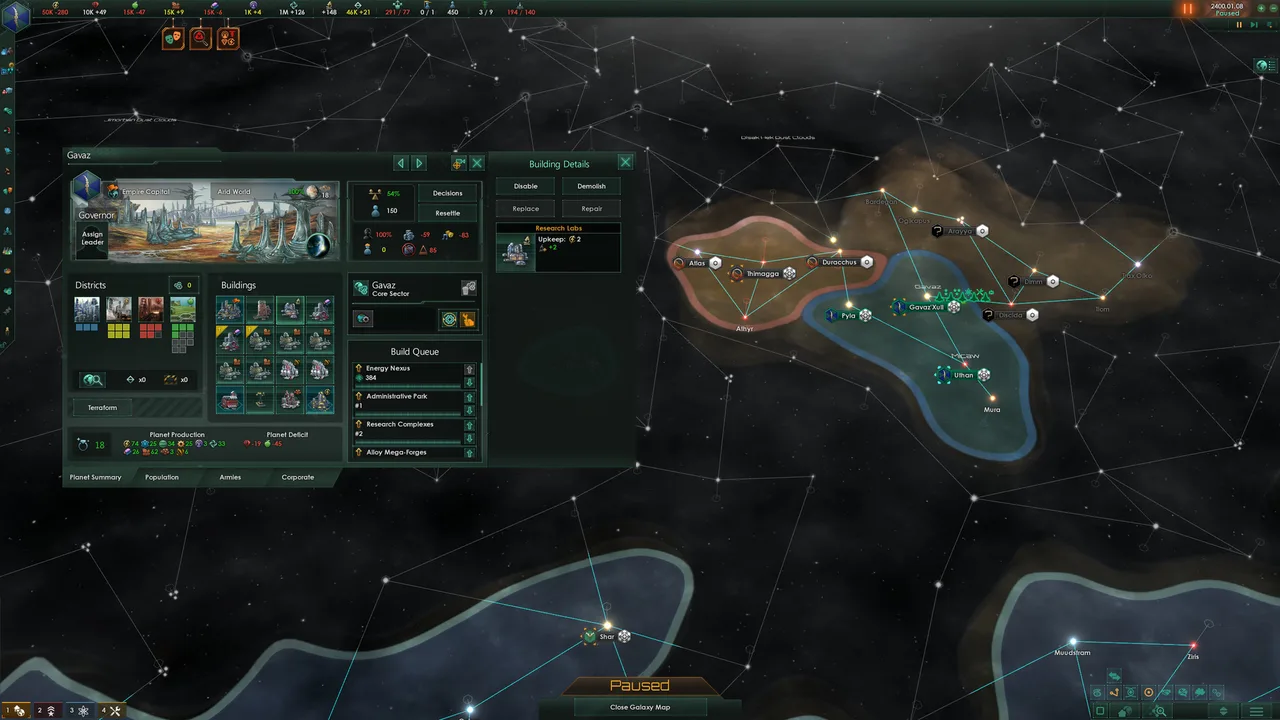
Instant developer console inputs for offline single-player sessions
Press ~ (Tilde) key to open in-game developer console
>energy 50000PC / Console
Effect: to fill treasury vaults. Energy is vital for terraforming candidates, colonizing barren biomes, hiring renowned galactic paragons, and covering monthly warship maintenance.
>minerals 50000PC / Console
Effect: to fund planetary districts, industrial foundry complexes, and resource processing facilities across your core sector worlds.
>alloys 50000PC / Console
Effect: to build capital ships, Titans, Colossi, and Juggernauts without waiting decades for planetary metallurgists to produce ingots.
>consumer_goods 50000PC / Console
Effect: to fulfill living standard requirements for your specialist and ruler strata pops, preventing economic strikes and stability crises.
>influence 1000PC / Console
Effect: to claim disputed star systems, negotiate defensive pacts, construct remote hyper relays, and pass crucial Galactic Community resolutions.
>unity 50000PC / Console
Effect: to immediately unlock full tradition trees, activate planetary ascensions, and secure powerful Ascension Perks such as Galactic Wonders and Become the Crisis.
>invulnerablePC / Console
Effect: into the developer console acts as a complete god mode switch for all player-owned units. While active, your corvettes, cruisers, battleships, and orbital starbases become completely immune to all kinetic projectiles, energy lances, missile salvos, and strike craft bombers. Entering the command a second time toggles the modifier off, returning combat mechanics to normal rules.
>damage 50000PC / Console
Effect: . This inflicts fifty thousand points of direct hull and armor damage to the selected vessel. For total diplomatic or military eradication of an obstinate adversary, using
>kill_countryPC / Console
Effect: immediately disintegrates the targeted faction, turning their claimed systems back into unclaimed neutral space ready for colonization.
>planet_size 30PC / Console
Effect: . This overrides the planet's celestial size up to the maximum hard engine limit of 30, opening space for extra industrial, farming, generator, or mining districts.
>populatePC / Console
Effect: . This command immediately spawns fully matured citizen pops into every open housing slot and vacant employment position on the planet.
Effect: to inject tier-three infrastructure buildings directly onto the planetary grid without waiting for construction queues.
>free_governmentPC / Console
Effect: to bypass the mandatory ten-year reform cooldown period. This lets you freely reassign empire civics, shift ethics, or transition between democratic, oligarchic, and imperial authorities at will.
>skills 5PC / Console
Effect: into the console. This grants five skill levels across your entire personnel roster, immediately unlocking high-tier veteran council traits and paragon destiny perks.
Effect: . For example, giving your pops the Industrious, Intelligent, or Rapid Breeders traits permanently boosts economic output.
>debugtooltipPC / Console
Effect: and open the Species window in your empire management screen. Hovering over any sub-species card reveals their unique numeric species identifier tag.
>research_all_technologies 1PC / Console
Effect: immediately completes all technology cards across Physics, Society, and Engineering trees, including rare tier-5 technologies and repeatable combat amplifiers. If you prefer to preserve the organic research progression but need to finish a critical mega-engineering tier before a crisis arrives, queuing your scientists and typing
>finish_researchPC / Console
Effect: will wrap up all three active research queues on that day's tick.
>instant_buildPC / Console
Effect: allows your construction ships to complete each megastructure stage the day after beginning construction. Always remember to toggle
>finish_special_projectsPC / Console
Effect: . All active anomaly excavations and special research projects will conclude instantly, awarding relic triumphs and technological insights directly to your empire museum.
>event crisis.10PC / Console
Effect: to summon the extragalactic bio-swarm vanguard into outer rim systems.
>event crisis.1000PC / Console
Effect: to rupture subspace and open the interdimensional portal of the energy beings.
>event crisis.2000PC / Console
Effect: to broadcast the ancient machine purge signal, igniting sterilization hubs across four hidden world hubs.
>tag [id]PC / Console
Effect: to immediately switch your perspective and take direct control of that alien civilization. For example, typing
>tag 2PC / Console
Effect: lets you manage an Awakened Fallen Empire directly. To return to your starting human or custom civilization, type
>tag 0PC / Console
Effect: .
>yesmenPC / Console
Effect: to force all AI empires to accept any diplomatic proposal you present, including vassalization treaties, commercial agreements, research pacts, and federation invitations.
>intelPC / Console
Effect: to clear all fog of war and monitor real-time ship movements across every hyperlane in the galaxy. Combining this with
>surveyPC / Console
Effect: uncovers all celestial resource deposits instantly.
>mature_galaxyPC / Console
Effect: ,
>tagPC / Console
Effect: . This prevents the AI engine from taking unintended automated actions on your home empire while you are observing foreign systems.
How to Enable Developer Console
Mastering galactic conquest in Paradox Development Studio's flagship sci-fi grand strategy title requires balancing massive economic stockpiles, diplomatic federations, and unstoppable starship fleets. With the release of major expansions up to the Grand Archive 3.14+ cycle on PC, accessing the built-in developer console allows empire commanders, mod creators, and roleplayers to test empire builds, resolve diplomatic gridlocks, and bypass tedious research bottlenecks through authentic Clausewitz engine inputs.
Unlike modern titles that demand external memory injectors or executable hooks, Stellaris integrates a native developer console directly into the game engine. Available exclusively in non-Ironman single-player sessions, this debug terminal grants immediate command over every galaxy variable, stellar fleet, and planetary governor.
⚡ VERIFIED SPONSOR
To open the developer console, press the grave accent or tilde key (~ or `), located directly below the Esc key on standard US QWERTY keyboards. A translucent input box will slide down from the upper-left quadrant of your monitor. Type your desired instruction and press Enter to execute the command. Pressing the tilde key a second time closes the console overlay.
International & European Keyboard Notice
On UK, French, German, or Nordic keyboards, the physical tilde key may produce alternate symbols. If the console fails to open, try pressing Shift + 2, Shift + 3, or hold Alt while typing 21 on your numeric keypad. You can also configure a secondary US English keyboard language profile in Windows Settings and switch layouts using Win + Space.
Ironman Mode vs. Non-Ironman: Achievement Integrity Policy
Paradox Interactive enforces a strict anti-cheat boundary separating casual sandbox games from achievement-eligible sessions. When launching a new galaxy campaign, selecting Ironman Mode activates continuous single-file auto-saving, locks the Clausewitz debug console, and verifies local file checksums against Valve's Steam servers and GOG galaxy services.
In non-Ironman mode, the developer console remains permanently accessible. Using console commands will modify game state and disable achievement triggers for that specific save game file. However, your broader Steam profile, game installation, and other save files remain completely unblemished. If you are experimenting with complex fleet compositions or megastructure layouts, sandbox mode provides total creative freedom without risking your verified Ironman career milestones. Explore our curated catalog of PC Trainers and offline utilities for complementary tools.
Core Economic & Resource Expansion Commands
Maintaining a healthy galactic economy is the single most demanding challenge in Stellaris. An unexpected war or sudden fleet upgrade can quickly throw your empire into an energy deficit, causing starbases to shut down and ships to suffer massive combat debuffs. The following commands inject crucial raw materials, advanced manufactured components, and social progress points directly into your imperial reserve:
Energy Credits: Enter energy 50000 to fill treasury vaults. Energy is vital for terraforming candidates, colonizing barren biomes, hiring renowned galactic paragons, and covering monthly warship maintenance.
Raw Minerals: Enter minerals 50000 to fund planetary districts, industrial foundry complexes, and resource processing facilities across your core sector worlds.
Industrial Alloys: Enter alloys 50000 to build capital ships, Titans, Colossi, and Juggernauts without waiting decades for planetary metallurgists to produce ingots.
Consumer Goods: Enter consumer_goods 50000 to fulfill living standard requirements for your specialist and ruler strata pops, preventing economic strikes and stability crises.
Political Influence: Enter influence 1000 to claim disputed star systems, negotiate defensive pacts, construct remote hyper relays, and pass crucial Galactic Community resolutions.
Imperial Unity: Enter unity 50000 to immediately unlock full tradition trees, activate planetary ascensions, and secure powerful Ascension Perks such as Galactic Wonders and Become the Crisis.
When hostile Awakened Empires, Devouring Swarms, or Crisis armadas threaten your sovereign borders, combat commands give you surgical control over space battles. Whether you want to test fleet weapon loadouts or instantly eradicate an existential threat, the Clausewitz engine includes potent combat modifiers:
Typing invulnerable into the developer console acts as a complete god mode switch for all player-owned units. While active, your corvettes, cruisers, battleships, and orbital starbases become completely immune to all kinetic projectiles, energy lances, missile salvos, and strike craft bombers. Entering the command a second time toggles the modifier off, returning combat mechanics to normal rules.
If you wish to eliminate an aggressive hostile fleet without sustaining collateral damage to nearby orbital habitats, select the target alien warship in tactical view, open the console, and type damage 50000. This inflicts fifty thousand points of direct hull and armor damage to the selected vessel. For total diplomatic or military eradication of an obstinate adversary, using kill_country immediately disintegrates the targeted faction, turning their claimed systems back into unclaimed neutral space ready for colonization.
Official verified game icon for Stellaris on PC.
Planetary Infrastructure, Pop Growth & District Customization
Colonizing newly discovered worlds frequently forces players to wait decades for biological growth or synthetic assembly before opening enough building slots to support specialized production. Console commands allow you to shape any world into an ecumenopolis or research haven instantly:
Maximize Planet Size: Click on your target planet, open the console, and input planet_size 30. This overrides the planet's celestial size up to the maximum hard engine limit of 30, opening space for extra industrial, farming, generator, or mining districts.
Instant Population Influx: Select the colony surface and execute populate. This command immediately spawns fully matured citizen pops into every open housing slot and vacant employment position on the planet.
Rapid Building Placement: Use the scripted effect command effect add_building=building_resource_hub to inject tier-three infrastructure buildings directly onto the planetary grid without waiting for construction queues.
Civic & Government Reforms: Type free_government to bypass the mandatory ten-year reform cooldown period. This lets you freely reassign empire civics, shift ethics, or transition between democratic, oligarchic, and imperial authorities at will.
Leader Mastery, Council Paragons & Genetic Trait Manipulation
The Galactic Paragons system introduced deep RPG mechanics to Stellaris, turning imperial leaders into powerful commanders. Top-tier Scientists, Governors, Admirals, and Generals bestow enormous planetary production multipliers, fleet fire rate buffs, and diplomatic weight bonuses.
To boost all active empire leaders to maximum rank without waiting centuries for natural experience accumulation, input skills 5 into the console. This grants five skill levels across your entire personnel roster, immediately unlocking high-tier veteran council traits and paragon destiny perks.
If you are optimizing your founder species for biological, cybernetic, or psionic ascension, modifying species traits normally costs valuable genetic modification points and lengthy empire-wide special projects. With console commands, you can inject traits directly:
Add Species Trait: Use add_trait_species [species_id] [trait_key]. For example, giving your pops the Industrious, Intelligent, or Rapid Breeders traits permanently boosts economic output.
Identify Species Identifiers: Turn on debugtooltip and open the Species window in your empire management screen. Hovering over any sub-species card reveals their unique numeric species identifier tag.
Leader Lifespan Adjustments: Adding traits like Enduring or Venerable ensures your founding council members remain alive to steer the empire into the late-game crisis eras.
Technology Tree Unlocking, Megastructures & Anomaly Automation
Technological superiority dictates the course of every interstellar war in Stellaris. Falling behind on hyperspace drive physics or shield harmonics makes your fleets vulnerable to superior alien armadas.
Executing research_all_technologies 1 immediately completes all technology cards across Physics, Society, and Engineering trees, including rare tier-5 technologies and repeatable combat amplifiers. If you prefer to preserve the organic research progression but need to finish a critical mega-engineering tier before a crisis arrives, queuing your scientists and typing finish_research will wrap up all three active research queues on that day's tick.
Constructing Dyson Spheres, Ring Worlds, and Matter Decompressors normally demands hundreds of months of in-game labor across multiple architectural phases. Activating instant_build allows your construction ships to complete each megastructure stage the day after beginning construction. Always remember to toggle instant_build off after queuing your projects, as the command applies universally to AI empires while active on the simulation thread.
To resolve ancient precursor storylines, dig sites, and science anomalies without sending science ships across hazardous space lanes, input finish_special_projects. All active anomaly excavations and special research projects will conclude instantly, awarding relic triumphs and technological insights directly to your empire museum.
Controlling Endgame Crises & Galactic Cataclysms
Endgame crises represent the ultimate test of military and economic preparedness in Stellaris. Waiting until the year 2400 or beyond for the random crisis roll can test player patience, especially when testing customized fleet designs or stellar containment strategies.
You can trigger specific galactic threats on demand using the internal event engine:
The Prethoryn Scourge: Enter event crisis.10 to summon the extragalactic bio-swarm vanguard into outer rim systems.
The Unbidden: Enter event crisis.1000 to rupture subspace and open the interdimensional portal of the energy beings.
The Contingency: Enter event crisis.2000 to broadcast the ancient machine purge signal, igniting sterilization hubs across four hidden world hubs.
Cosmogenesis Crisis: For empires pursuing the player-driven Cosmogenesis path from modern expansions, you can simulate catastrophic reality decay or accelerate synaptic lathe calculations using targeted event triggers.
Advanced Diplomacy, Tag Switching & Galaxy State Manipulation
Navigating the galactic political landscape often demands insight into your neighbors' strategies. Paradox games allow perspective switching through tag commands, making it possible to observe AI decision trees or manually resolve conflicting empire states:
Debug Tooltips: Type debugtooltip to enable developer data overlays. Hovering your cursor over any foreign star system, war fleet, or planet will reveal internal nation tags, country ID numbers, and AI personality profiles.
Direct Empire Tag Switching: Type tag [id] to immediately switch your perspective and take direct control of that alien civilization. For example, typing tag 2 lets you manage an Awakened Fallen Empire directly. To return to your starting human or custom civilization, type tag 0.
Unconditional Diplomatic Agreement: Enter yesmen to force all AI empires to accept any diplomatic proposal you present, including vassalization treaties, commercial agreements, research pacts, and federation invitations.
Galactic Sensor Vision: Type intel to clear all fog of war and monitor real-time ship movements across every hyperlane in the galaxy. Combining this with survey uncovers all celestial resource deposits instantly.
Honest Pros & Cons of Using Console Cheats in Stellaris
Advantages & Strengths
Immediate recovery from crippling resource deficits and economic crashes
Rapid testing of late-game ship weapons and crisis defenses in minutes
Instant resolution of glitched questlines or bugged anomaly chains
Zero third-party installations, background software, or memory hook risks
Drawbacks & Considerations
Disables all Steam and GOG achievements for that specific save game
Global commands like instant_build accelerate AI empires if left active
Inaccessible in official multiplayer lobbies to preserve fair play
Removes early-game survival tension if overused excessively
Troubleshooting Console Glitches, Crashes & Save Hygiene
While console commands provide unprecedented control over Stellaris, executing excessive debug triggers or modifying global simulation parameters during active combat calculations can occasionally lead to game instability. Follow these best practices to ensure smooth gameplay:
Create Dedicated Manual Saves: Always make a separate named save file prior to running commands like mature_galaxy, kill_country, or massive trait modifications. If an AI script encounters an unexpected state, you can restore your prior point without data loss.
Pause Before Entering Complex Commands: Hit the Spacebar to freeze the simulation clock before issuing commands such as instant_build or switching empires via tag. This prevents the AI engine from taking unintended automated actions on your home empire while you are observing foreign systems.
Multiplayer and Anticheat Protections: In multiplayer lobbies, console commands are blocked at the networking layer to safeguard match integrity. If you want to play cooperatively with friends using customized setups, create the desired galaxy state in single-player, save the game, and load the resulting save file as a multiplayer host.
Whether you are testing experimental ship loadouts against the endgame crises or tailoring your own custom galactic scenario, the Clausewitz developer console remains an indispensable tool for every grand strategy player. For more authentic game guides and offline utilities, consult our verified Cheat Codes Directory and learn more about our testing standards on our About CoolModAPK page. Official game updates, patch notes, and DLC releases can be reviewed directly via the official Stellaris Steam Store Page.
Frequently Asked Questions & Troubleshooting
Verified Rewards • CoolModAPK Partner
Instant +$0.10 Sign-Up Bonus
Want Free In-Game Items or Digital Gift Cards?
Earn premium Robux, Google Play or Steam credits for Stellaris PC Console Commands & Cheats 2026 (God Mode & Resources) without spending a dime.
100% Free & No Credit CardMin. $5.00 Fast Cashout90% Publisher Payout Rate
All game titles, developer console commands, and brand references are the intellectual property of their respective creators. These commands are documented solely for single-player offline customization, accessibility, and informational review under nominative fair use. For copyright inquiries, please review our DMCA Compliance Policy.